Reading habits
How to Save and Organize Book Quotes
A great line goes by, you feel it land, and you think there is no way you will forget that one. A month later it is gone, and so is the book it came from. Saving quotes sounds like the easy part of reading, right up until you try to do it consistently across a paper book on the sofa, a Kindle on the train, and an audiobook in the car. This is a practical guide to capturing the lines worth keeping wherever you read them, and organizing them so they are still useful a year from now.
The rule that matters most: capture in the moment
Before any method, one principle decides whether you keep quotes at all. Capture the line the second it hits you, not later. "Later" is where quotes go to die. You will not flip back through the book at the end, you will not remember the page, and the specific feeling that made the line matter will have faded. Every method below is really just a way to make in-the-moment capture fast enough that you actually do it.
Saving quotes from a paper book
Paper is the hardest to capture from, which is why so many good lines from physical books are lost. The old way is to type the whole sentence into your phone while holding the book open with your other hand, and almost nobody keeps that up.
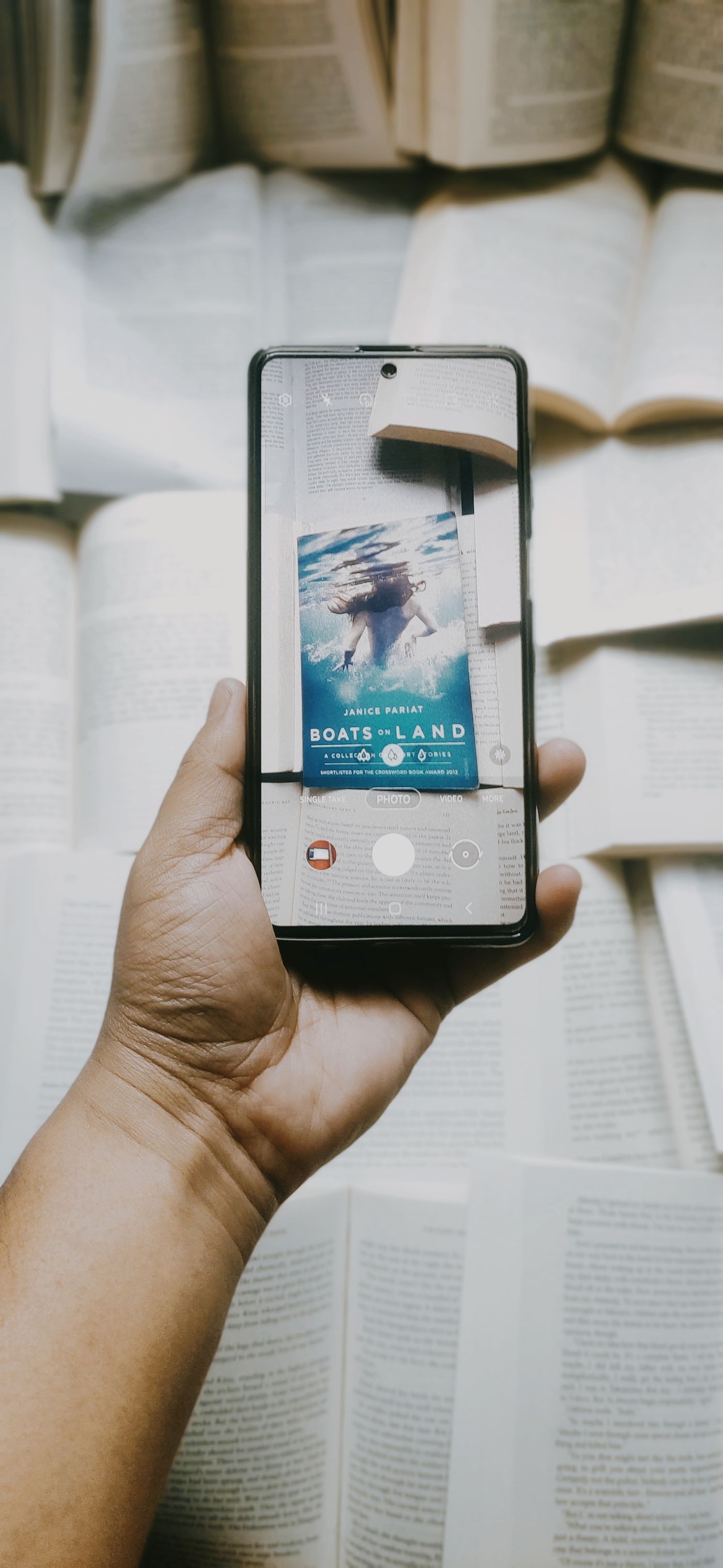
The much faster way is to photograph the page and let software read the text for you. Snap the page, let the app pull the words off the image, trim to the sentence you want, and you are done in a few seconds without typing a thing. If you would rather not use an app in the moment, keep a small ritual: a light pencil dot in the margin, or a sticky tab, so future-you knows exactly which line to capture when you sit down later. The dot is a promise you can keep; a vague memory is not.
Saving quotes from a Kindle or e-reader
E-readers make the capture itself trivial. Press and drag to highlight, and it is saved. The catch is where those highlights end up. On a Kindle they sit in Amazon's ecosystem, in a "My Clippings" file or the Kindle notes page, walled off from the rest of your reading. You can export them, but few people ever open that file again.
So the move with e-book highlights is not capturing them, it is rescuing them. Every so often, pull your highlights out of the reader and into whatever place you actually revisit, alongside the quotes from your paper books. A highlight you never look at again is just a colored line on a screen.
Saving quotes from an audiobook
Audiobooks are the trickiest, because you often cannot stop to write. The trick is to make a marker in the moment and do the real capture later. Most audiobook apps have a bookmark or clip button; hit it the instant a line lands, even while walking or driving. Later, open your bookmarks, listen back to the few seconds you flagged, and type out the sentence properly. It is two steps, but the bookmark is what saves the quote from vanishing into three hours of narration you will never scrub through again.

Organizing quotes so you can actually find them
Capturing is half the job. A thousand quotes in one endless note is almost as useless as no quotes at all. A little structure, added as you go, is what turns a pile into something you can use.
Keep the source with the quote. Always save the book and, if you can, the page or location. A line with no source is a line you cannot cite, share, or trust later. This one habit saves endless "who said that again" moments.
Tag by theme, not just by book. Books are how quotes arrive, but themes are how you will look for them. Tag a line with the idea it is about, courage, grief, attention, whatever fits, so that months later you can pull every passage on a theme across every book at once. That cross-book view is where a quote collection starts to feel like a second brain.
Link the quotes that echo each other. The real magic is when one author answers another. When a line reminds you of something from a different book, connect the two directly. Over time those links turn a flat list into a map of how your reading fits together. This is the whole idea behind connecting ideas across books.
A quote you saved but cannot find is not really saved. The organizing is what makes the collecting worth doing.
Where ZenRead fits
ZenRead is built to make this whole flow fast and free. Photograph a page and it lifts the text for you, scan an ISBN to set up a book in seconds, or type a line by hand, whatever suits the moment. Every quote keeps its book and page automatically. You can organize by book or by theme, link the passages that speak to each other, and open the reference graph to see the whole web of what you have kept. It is a calm home for the lines you never want to lose, and capturing them never costs a thing.
Never lose a great line again
ZenRead lets you save quotes by typing, scanning an ISBN, or photographing the page (all free, no account needed), keep the source with every quote, and connect the ideas across every book you read.
Get ZenRead on Google Play